Graphic Design Course in Bangladesh with Live Online Adobe Training, Portfolio Projects and Practical Creative Mentoring
Build practical graphic design skills from Bangladesh through live online classes, structured project work, and guided training in Adobe Photoshop, Illustrator, InDesign, Canva, and Figma basics. This course is designed for beginners, working professionals, freelancers, marketers, and career switchers who want stronger visual work for Dhaka jobs, freelance projects, outsourcing work, online businesses, or better in-house creative responsibility.
4.6/5
based on 170+ learner reviews
50,000+
across GCC and global markets
200+
regional and international employers
Next Bangladesh-friendly batch
Starting within the next 7-10 days
Live evening and weekend options, recorded sessions, and LMS support designed for learners in Dhaka and across Bangladesh.
No spam. Our team will contact you within 24 hours with the brochure, BDT fee guidance, and suitable batch timings.
Course Overview
What this Graphic Design Course in Bangladesh helps you build
This Graphic Design Course in Bangladesh is a structured live online program built to help learners move from design basics to portfolio-ready creative work. Instead of teaching software in isolation, it combines visual communication fundamentals, Adobe tools, branding exercises, practical projects, and presentation skills so you can create stronger work for jobs, freelance clients, or in-house marketing teams.
By the end of the course, you will be able to
- Create logos, brochures, social media creatives, marketing collateral, layouts, and brand assets used in practical commercial design work.
- Use Adobe Photoshop, Illustrator, and InDesign more confidently, while also learning modern support tools like Canva and Figma basics.
- Apply typography, hierarchy, composition, color, and layout thinking to produce cleaner, more professional visual communication.
- Build a beginner portfolio that supports junior design roles, freelance opportunities, and stronger creative responsibility inside your current role.
Course Snapshot
- Delivery: 100% live online classes with recordings and LMS support.
- Core software: Adobe Photoshop, Illustrator, InDesign, Canva, and Figma basics.
- Output focus: Portfolio projects for branding, print, social media, and commercial creative design.
- Best for: Students, working professionals, freelancers, career switchers, and business owners across Bangladesh.
- Certificate: EduDelphi completion certificate after successful course participation and project submission.
Current learning model
Portfolio Projects
Adobe Tools
Recordings
LMS Support
Why This Matters in Bangladesh
Why graphic design skills are increasingly useful across Bangladesh
Graphic design is becoming more useful across Dhaka agencies, e-commerce brands, startups, schools, NGOs, restaurants and cafes, retailers, clinics, events, real-estate marketing teams, and in-house communication teams across Bangladesh.
Local demand
Businesses need stronger visual communication
Schools, NGOs, service firms, retailers, restaurants, clinics, startups, online sellers, and local SMEs all need stronger brochures, posters, social creatives, campaign artwork, event graphics, menus, and brand assets.
Career mobility
Useful for both jobs and freelance work
The course supports learners targeting agency roles, in-house content and marketing teams, or freelance client work serving Dhaka, Chattogram, Sylhet, Khulna, Rajshahi, and wider Bangladesh.
Practical fit
Designed for learners across the country
Live online delivery with Bangladesh-time evening and weekend options makes the course practical for learners across Bangladesh without needing to commute to a single training center.
What You Learn
The design skills and outputs this course is built around
This course is designed to build both software confidence and design judgment, so learners can produce better work rather than just learn isolated tools.
Design foundations
Typography, color, layout, and hierarchy
Learn the visual principles that make creative work clearer, more balanced, and more effective across digital and print formats.
Adobe workflow
Photoshop, Illustrator, and InDesign
Build practical software fluency through guided exercises and project work rather than passive software demos.
Branding
Logos, visual identity, and commercial design
Understand how to build visual systems that support restaurants, retailers, clinics, education brands, events, startups, e-commerce businesses, and service-sector brands in Bangladesh.
Digital creatives
Social media, campaigns, and promotional content
Design assets used in modern content marketing, campaigns, launches, and everyday business communication.
Print and layout
Brochures, flyers, menus, and company profiles
Work on outputs relevant to Bangladesh businesses such as menus, brochures, flyers, catalogues, company profiles, event creatives, and in-house communication assets.
Portfolio readiness
Project presentation and creative confidence
Organize your strongest work into a cleaner beginner portfolio for jobs, freelance outreach, or stronger internal creative credibility.
Software Stack
The tools you will use in this Graphic Design Course in Bangladesh
Bangladesh competitors are very direct about software and outcomes, so this section makes the tool stack clear while still showing that the course is bigger than a tool-only class.

Adobe Photoshop
Image Editing
Adobe Illustrator
Vector Design

Adobe InDesign
Layout

Canva
Fast Commercial Creatives
Figma Basics
Modern Workflow
The core stack is Photoshop, Illustrator, and InDesign, supported by Canva, Figma basics, and portfolio tools that reflect real creative workflows.
Who This Course Is For
Who should join this Graphic Design Course in Bangladesh?
This course is designed for people who want structured design growth, better creative output, and a real portfolio rather than scattered software tips.
- Students and fresh graduates in Bangladesh who want to enter graphic design, graphics design, content design, or visual communication roles.
- Working professionals in marketing, communications, education, events, or admin roles who want stronger design capability.
- Freelancers and side-hustlers offering logos, menus, flyers, company profiles, brochures, social media creatives, and outsourcing services.
- Career switchers ready to build a fresh portfolio and move into creative work.
- Business owners and marketers who want better brand control over their promotional and communication assets.
- Professionals in Dhaka and across Bangladesh who want to design more independently rather than outsourcing every small visual task.
What you do not need
- No prior design degree is required.
- No advanced drawing background is required.
- No agency experience is needed before joining.
You only need basic computer comfort, a system that can run Adobe apps, and the willingness to practice consistently.
Good fit if you want
- A structured alternative to random YouTube learning.
- Live trainer support and feedback instead of only self-paced videos.
- Project work you can actually show in a portfolio.
Career Outcomes
What kinds of roles this course can support in Bangladesh
The course is built to help learners produce work that supports junior creative roles, in-house design work, and freelance service offerings across Bangladesh.
Typical roles
- Graphic Designer
- Junior Visual Designer
- Social Media Designer
- Brand and Marketing Designer
- Layout and Print Designer
- Freelance Graphic Designer
Where these skills are useful in Bangladesh
- Agencies and creative studios in Dhaka
- Retail, restaurants, cafes, e-commerce businesses, and event-led brands
- Education providers, NGOs, clinics, service brands, and in-house marketing teams
- Startups, SMEs, boutiques, agencies, and growing local businesses building stronger brand communication
- Freelance creative work across Dhaka, Chattogram, Sylhet, Khulna, Rajshahi, and wider Bangladesh
Salary and opportunity snapshot
Portfolio quality matters a lot in design. In Bangladesh, junior creative opportunities usually start in the entry-level monthly range, while stronger portfolios can improve access to better in-house, agency, and freelance work.
Junior: 18,000-45,000 BDT/monthwith stronger portfolios and freelance quality supporting higher ranges over time
Actual outcomes vary by employer, portfolio quality, communication ability, and whether you target agency, in-house, or freelance work.
Curriculum
What the Graphic Design Course in Bangladesh covers from fundamentals to portfolio work
This curriculum is structured to move learners from design basics to stronger creative outputs through guided modules, live classes, and project-based application.
Design Foundations and Visual Communication
+
- Understanding graphic design as visual communication and commercial problem-solving.
- Design principles such as hierarchy, contrast, balance, spacing, alignment, and composition.
- Typography basics, font pairing, readability, and layout discipline.
- Color theory and visual decision-making for branding, print, and digital work.
Adobe Photoshop
+
- Image editing, selections, masks, and non-destructive workflows.
- Creative compositions for posters, event graphics, and social media content.
- Retouching, layering, text integration, and export workflows for digital use.
- Practical Photoshop applications for campaigns and visual communication tasks.
Adobe Illustrator
+
- Vector tools, shapes, paths, and clean illustration workflows.
- Logo design, icons, simple illustrations, and visual identity systems.
- Typography in Illustrator and scalable brand asset design.
- Exporting vector assets for print, digital, and portfolio use.
Adobe InDesign
+
- Brochures, flyers, menus, company profiles, catalogues, and multi-page layouts.
- Working with text frames, paragraph styles, grids, and cleaner document flow.
- Combining images, vectors, and typography into polished publication pieces.
- Preparing print-ready and digital-ready outputs professionally.
Modern Creative Workflows
+
- Social media campaigns, promotional creatives, and digital marketing assets.
- Canva for faster commercial output and team-friendly content production.
- Figma basics for modern layout awareness and digital collaboration.
- Brand consistency across print, digital, and client-facing creative work.
Portfolio and Professional Readiness
+
- Refining projects into stronger portfolio pieces with better context and presentation.
- Behance and profile positioning for jobs and freelance outreach.
- Client brief understanding, feedback application, and professional communication.
- Portfolio review and next-step guidance for Bangladesh roles, freelance work, and GCC opportunities.
How this curriculum is designed
- It combines design judgment, software fluency, and real commercial outputs.
- It is built around work you can show, not just features you can list on a CV.
- It balances Adobe depth with modern workflow awareness through Canva and Figma basics.
- It stays beginner-friendly while still practical enough for working professionals and freelancers.
Download full syllabus
Get the detailed module-wise syllabus, sample projects, current batch structure, and BDT fee guidance for Bangladesh learners.
Portfolio Projects
The kind of work you will build during the course
The course is structured around practical outputs that help you build a portfolio rather than finish with only disconnected exercises.
Project 1
Logo and mini brand identity
Create a simple visual identity system with logo applications, colors, and brand assets suitable for local businesses, startups, or personal brands.
- Builds Illustrator and branding confidence.
- Useful for agency, freelance, and business-owner use cases.
Project 2
Brochure, menu, or company-profile layout
Work on a layout-led project relevant to restaurants, retail, clinics, education, events, or corporate communication in Bangladesh.
- Strengthens InDesign, layout discipline, and print-production thinking.
- Highly relevant for Dhaka and wider Bangladesh commercial design contexts.
Project 3
Social media campaign creative set
Design a coordinated campaign-style set of promotional creatives for a business, event, service, or brand operating in Bangladesh.
- Improves Photoshop-driven creative output and campaign consistency.
- Strong fit for in-house marketing teams and freelance services.
Final portfolio outcome
You finish with a cleaner beginner portfolio that supports job applications, freelance outreach, and stronger creative credibility across Bangladesh and the wider GCC.
Learning Experience
Live online classes with recordings, LMS support, and project feedback
The course is designed for learners in Bangladesh who want real interaction, guided practice, and enough flexibility to keep progressing around work, study, or freelance schedules.
- Live online classes with trainer explanations, discussions, and assignment guidance.
- Recorded sessions for revision and missed-class recovery.
- 24×7 LMS access for continuity, reference, and structured review.
- Bangladesh-time evening and weekend batch support.
- Practical feedback on project work, not just passive content access.
Typical course structure
- Duration: 15+ hours of live online learning, plus portfolio practice time.
- Modes: Evening and weekend live online batches.
- Support: Recordings, LMS access, assignment review, and portfolio guidance.
- Best for: Working professionals, students, and freelancers across Bangladesh.
If you want the current batch structure and exact timings, our team can share the latest Bangladesh-friendly schedule directly.
Meet Your Trainers
Learn from trainers focused on practical design growth and stronger portfolio work
The trainer setup for Bangladesh is built around Adobe confidence, practical output quality, and the kind of portfolio work that feels relevant to agencies, in-house teams, and freelance clients across the local market.
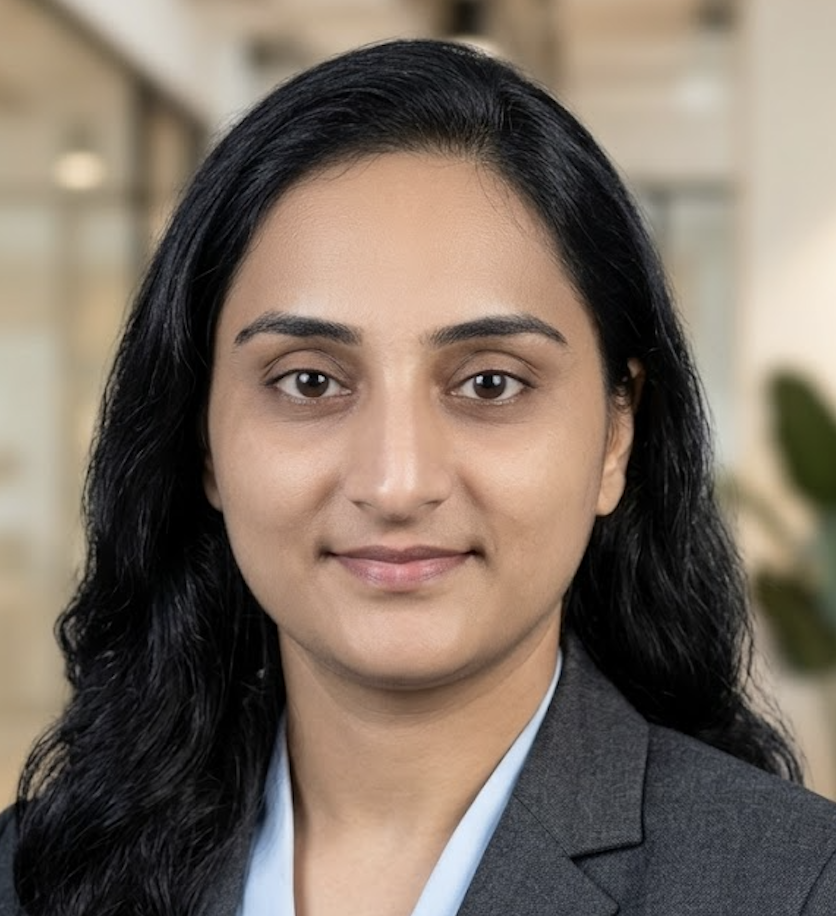
Kanchan C. Trivedi
Creative Design Trainer | Mass Media Communication | 2D & 3D Animation Background
Kanchan C. Trivedi is a highly qualified creative design trainer with professional experience in Adobe tools, branding, print creatives, social media design, and video editing. With a strong background in Mass Media Communication and 2D/3D Animation, she helps learners in Bangladesh build practical design skills, software confidence, and portfolio-ready work for real creative roles and freelance opportunities.

Pankaj Sarrof
Creative Design Mentor | Branding, Portfolio and Commercial Design Guidance
Pankaj Sarrof helps Bangladesh-based learners turn ideas into polished commercial design work for Dhaka agencies, e-commerce brands, startups, schools, NGOs, retailers, restaurants, clinics, event businesses, and freelance clients. His mentoring focuses on branding decisions, campaign thinking, portfolio polish, and the practical standards creative teams expect across real-world design tasks in Bangladesh.
Trainer advantage
Practical guidance, not just software demonstrations
The trainer approach emphasizes real outputs, repeatable workflows, and the kind of visual judgment that helps learners produce work suitable for Bangladesh businesses, in-house marketing teams, and client projects.
- Live explanations and design walkthroughs.
- Support for project refinement and presentation quality.
- Practical focus on portfolio outcomes and commercial usability.
Fees & Inclusions
What your BDT fee guidance covers for the Graphic Design Course in Bangladesh
Bangladesh learners often compare duration, fees, and what is included, so this section is designed to make that decision easier.
What is typically included
- Live online training sessions with trainer guidance.
- Recordings and LMS support for revision and continuity.
- Adobe-focused learning across Photoshop, Illustrator, and InDesign, plus Canva and Figma basics.
- Portfolio projects, assignments, and practical feedback.
- Course completion certificate support and final portfolio guidance.
BDT fee guidance shared with current offers and batch options
Exact fee structure can vary by batch type, support model, and current promotional offers.
Get a personalized fee breakup
Share your details and our team will send the latest BDT fee structure, current offers, schedule options, and what is included in your learning plan.
We can also help you choose the most suitable batch based on your experience, goals, and weekly availability in Bangladesh.
Compare Your Options
How this Bangladesh course differs from tutorials, software-only classes, and degree routes
The Bangladesh market includes local institutes, academic design programs, and self-learning routes. This section helps clarify where this course fits best.
| Criteria | This Course Graphic Design Course in Bangladesh |
Alternative 1 YouTube / Random Tutorials |
Alternative 2 Academic Design Degree |
|---|---|---|---|
| Primary focus | Structured live online Adobe training with portfolio projects and commercial design outputs. | Scattered tips without a complete pathway or project structure. | Broader academic design education over a much longer timeline. |
| Best for | Learners in Bangladesh who want practical upskilling, stronger portfolios, and guided project work. | Casual learners comfortable building everything independently. | Students seeking a full academic study path with long-term degree outcomes. |
| Feedback | Strong fit for trainer interaction and assignment guidance. | No personalized feedback. | Academic critique model rather than fast practical upskilling. |
| Portfolio outcome | Guided project work designed to become part of a beginner portfolio. | Depends entirely on self-discipline and independent project selection. | Possible, but usually slower and embedded in a longer design pathway. |
This course is best for learners who want a practical, flexible, and portfolio-oriented route without needing to commit to a full design degree.
Get Course Details
Get the Graphic Design Course in Bangladesh syllabus, fees, and batch schedule
Share your details below to receive a personalized response from our course advisor. We will help you understand the curriculum, projects, timings, and whether the course fits your goals.
What you will receive
- Detailed syllabus with module and portfolio-project structure.
- Latest BDT fee guidance and current offer details.
- Upcoming evening and weekend batch timings for Bangladesh learners.
- Advice on whether the course suits your current skill level and creative goals.
Designed for learners who want
Creative Career Skills
Freelance Readiness
Live Online Learning
Submit your enquiry
Our team will contact you within 24 hours with complete information and the right next steps.
FAQs
Frequently Asked Questions
These are the questions learners in Bangladesh usually ask before joining a graphic design course.
Is this course taught live online or only through recordings?
This is a live online Graphic Design Course in Bangladesh. You learn through scheduled trainer-led classes, and recordings are provided for revision and flexibility.
Are timings suitable for learners in Dhaka and across Bangladesh?
Yes. Batches are planned around Bangladesh time, with evening and weekend options that suit working professionals, students, and freelancers across the country.
Can I join if I only know Canva or have no design background?
Yes. The course is beginner friendly and works well for learners who have only used Canva casually, as well as those starting from zero and wanting stronger Adobe-based skills.
Is this suitable if I want to build a freelancing or outsourcing profile from Bangladesh?
Yes. The course is useful for learners who want to build a stronger portfolio for freelance and outsourcing work, especially in logo design, social media creatives, brochures, company profiles, and commercial marketing assets.
Which software is covered in this course?
The core software stack includes Adobe Photoshop, Adobe Illustrator, and Adobe InDesign, with supportive use of Canva and Figma basics where relevant.
Will I build a portfolio that is useful for Dhaka jobs or freelance work?
Yes. Portfolio development is a major part of the course, and you work on branding, layout, social media, brochure, and other practical project outputs that are useful for agency applications, in-house marketing roles, and freelance outreach.
Can this course help me if I want to work with small businesses or online sellers in Bangladesh?
Yes. The course is useful for learners who want to create logos, flyers, menus, brochures, social media posts, posters, and company-profile designs for schools, shops, restaurants, clinics, NGOs, online sellers, and small businesses across Bangladesh.
Do you teach Figma too, or only Adobe tools?
Adobe Photoshop, Illustrator, and InDesign are the main tools. Figma is included at a basic level to build modern layout awareness, and Canva is used as a practical support tool for faster commercial output.
Do I need my own laptop and Adobe subscription?
Yes. You should have your own laptop or desktop that can run Adobe software. A trial or paid Adobe subscription is usually needed for practice, and our team can guide you on the setup before the batch begins.
Is this more like a short professional course or a diploma in graphics design?
This is a live online professional course, not a long diploma program. It is meant for faster practical upskilling, portfolio building, and Adobe fluency rather than long-form academic study.
What jobs can this course support in Bangladesh?
Depending on your portfolio and background, the course can support roles such as Graphic Designer, Junior Visual Designer, Social Media Designer, Marketing Designer, content-creative support roles, or freelance creative work for Bangladesh businesses.
Can I join from outside Dhaka?
Yes. Because the course is delivered live online, learners from Dhaka, Chattogram, Sylhet, Khulna, Rajshahi, and other parts of Bangladesh can join the same batch with recordings and LMS support.
What is the typical duration of the course?
The course typically includes 15+ hours of live online learning, plus project and portfolio practice time. Our team can share the latest batch structure and schedule for Bangladesh learners.
How much does the course cost in Bangladesh?
The latest BDT fee structure can vary by batch and offer period. Submit the enquiry form and our team will share the current fee breakup and what is included.
Can this course help me target agencies, startups, or in-house design work in Dhaka?
Yes. The course is designed to improve the kind of portfolio and practical creative output that agencies, startups, and in-house marketing teams usually want to see. That includes branding, campaign creatives, layout work, and cleaner social media design.
How is this different from learning only from YouTube or a short local batch?
YouTube can help with isolated tips, but this course gives you structure, live trainer support, project feedback, and a clearer route from beginner learning to portfolio development. That usually matters more when you want work you can actually show to employers, clients, or local businesses in Bangladesh.
Should I choose this instead of a local institute diploma if I want faster practical growth?
If you want practical upskilling, Adobe confidence, and faster portfolio development, this course is usually the better fit. A full diploma is broader and longer, while this course is designed to help you build usable creative skills faster.
Do I get a certificate after completing the course?
Yes. Learners who successfully complete the course requirements receive an EduDelphi completion certificate.
Can business owners, social media managers, and marketers join this course too?
Yes. The course is also suitable for business owners, marketers, social media managers, and communication professionals who want stronger control over flyers, campaign creatives, social media design, and day-to-day brand visuals.
How do I get the syllabus and latest batch details?
You can submit the enquiry form on this page or request the brochure, and our team will share the full syllabus, BDT fee guidance, and upcoming batch options.
Ready to start your Graphic Design Course in Bangladesh?
Take the next step toward stronger creative skills, portfolio-ready work, and practical design confidence through live online training.
We will share syllabus, fees, batch timings, and the best next step for your goals in Bangladesh.