
Practical Training Across Oman
Microsoft Excel Course in Oman
Learn formulas, Power Query, PivotTables and dashboards through practical business workbooks and guided support.

Who Is This Excel Course For?
The course covers beginner-to-advanced workplace Excel. Choose the starting support and delivery that fit your experience.
Beginners and developing users
Build dependable foundations in tables, references, formulas and clean data before moving into more advanced work.
Working professionals
Improve recurring reports in finance, administration, sales, HR, procurement and operations.
Experienced Excel users
Develop stronger lookups, PivotTables, Power Query and dashboard skills. Private routes can focus on the topics you need.
Company teams
Build a consistent approach to data preparation, reporting and workbook checks across your team.
What You Will Learn in Excel
Work through the tasks that turn source data into a report people can understand and use.
Build clear workbooks
Use tables, references, validation and readable layouts so files are easier to use and update.
Write and check formulas
Use logical functions, conditional calculations and lookups. Trace errors and confirm results.
Clean and combine data
Prepare repeated exports and multiple files using Excel tools and Power Query.
Analyse and report
Use PivotTables, charts and scenarios to explain performance and create refreshable management reports.
Microsoft Excel Course Syllabus: Beginner to Advanced
32+ guided hours combine explanations, workbook practice and guided exercises. Complete your capstone through additional practice and feedback.
1. Excel Foundations and Efficient Workbook Use
Work confidently with sheets, ranges, number formats, relative and absolute references, Excel Tables, named ranges, print/export settings and easy-to-maintain workbook design.
2. Data Entry, Validation and Quality Controls
Build controlled input areas, highlight exceptions, identify duplicates, standardise values and prevent common data-entry errors.
3. Essential Business Formulas
Use conditional calculations, logical tests, error handling, rounding and core mathematical functions in practical reports.
4. Text, Date and Time Functions
Clean text, combine and split fields, calculate ageing and deadlines, work with monthly periods and solve common date problems.
5. Lookups and Matching
Retrieve and reconcile information across tables, understand exact-match logic, handle missing values and work with both modern and legacy files.
6. Dynamic Arrays and Modern Excel
Build flexible outputs that update as data changes, while understanding version compatibility and when older methods are still required.
7. PivotTables, PivotCharts and Interactive Analysis
Summarise large tables, compare dimensions, create interactive views, group dates and avoid common PivotTable errors.
8. Power Query in Excel
Connect to common source files, clean and reshape data, combine recurring files and create refreshable transformation workflows.
9. Power Pivot and Data-Model Foundations
Understand how tables relate, why a clean data model matters and when an Excel model should progress into Power BI.
10. Dashboards and Management Reporting
Design concise reports that communicate performance and exceptions without filling a screen with decorative charts.
11. What-If Analysis, Forecasting and Solver
Test assumptions, calculate required outcomes, compare cases and use Solver for suitable constrained business problems.
12. Auditing, Protection and Automation Pathways
Check formulas, protect input areas, review workbook access and record a simple macro. See a short example of using AI to explain a formula, then verify the answer in Excel. Full VBA programming and detailed AI workflows are separate specialist courses.
The course moves through four stages: workbook foundations, formulas and analysis, data preparation and reporting, then project review. Excel for Microsoft 365 on Windows is the reference environment; we explain relevant Mac, web and version differences.
Practical Excel Projects
Build three guided business workbooks, then complete a reviewed project for a role that matters to you.
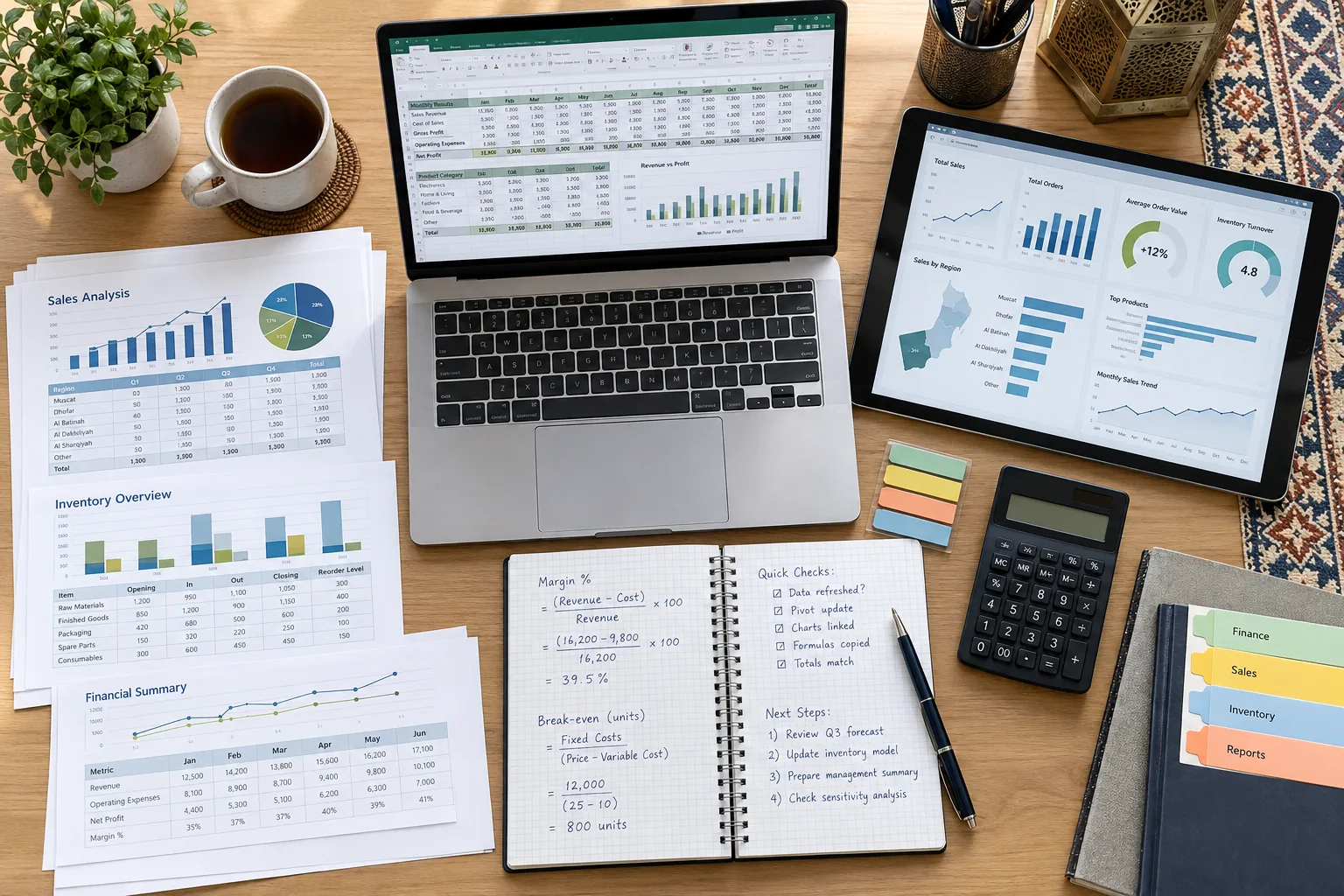
Monthly Finance Reporting Pack
Start with transaction extracts and budget data in OMR. Clean the tables, map accounts, reconcile totals and calculate actual-versus-budget differences.
Finished output: a refreshable workbook with checked totals, a management summary and clear update instructions.
Review: source completeness, duplicate rows, formula accuracy and whether the report answers the business question.
Sales dashboard
Use customer and product data to show sales, margins and trends with PivotTables, charts and filters.
Inventory and supplier workbook
Review stock movement, lead times, supplier performance and items that need attention.
Your role-based capstone
Build a finance, operations, HR, sales or reporting workbook. Explain your approach and improve it through feedback.
Checks before sharing
Confirm totals, test missing values and repeat the refresh. Leave instructions that another user can follow.
Power Query, Power Pivot and Macros: What Is Included?
 Microsoft Excel
 Power Query
| Topic | Coverage in this course |
|---|---|
| Power Query | Core practice: import, clean, reshape, merge, append and refresh data. |
| Power Pivot | Foundation coverage of relationships and basic measures, where supported. |
| Macros | Introduction to recording, running and reviewing simple workbook actions. |
| VBA programming | For writing code, loops, forms and custom workbook logic, choose the Excel VBA and Macros Course in Oman. |
Excel Course Resources and Follow-Up Support
Keep practising with useful files, recordings and guidance, not just class notes.
Practice and solution files
Work through starter files, guided exercises and checked solutions. Repeat formula, PivotTable and Power Query tasks.
Class recordings and LMS
Revisit lessons and keep practice files, reference guides and revision work together.
Quick-reference guides
Use formula references, shortcut guides, refresh instructions and reporting checklists.
Project feedback
Receive feedback on calculations, source checks, refresh steps and the clarity of your report.
Two follow-up practice sessions
Return after class to ask questions, resolve practice problems and review project improvements.
Direct learning support
Get help with course exercises and questions as you apply the skills to your work.
Support continues after the main classes. The two follow-up sessions are additional to the guided teaching hours. Attend them to work through problems and improve your project.
Corporate Excel Training in Oman
Train your team around the spreadsheets and recurring tasks they actually use. EduDelphi delivers customised Excel training for finance, HR, sales, procurement, operations and reporting teams across Oman.
We can review selected sanitised files, adapt the exercises to your process and teach at your workplace, in a classroom or live online. English, Arabic and bilingual delivery are available.

Review the work
Identify repeated tasks, learner levels and approved files.
Adapt the exercises
Use matched practice data and examples from team workflows.
Teach by role
Focus lessons on reports, checks and analysis.
Review the project
Check the output, explain errors and record improvements.
Follow up
Reinforce the learning through two practice sessions.
Examples can include OMR-valued finance reports, inventory and supplier files, sales summaries, contractor registers and monthly reporting packs. Use your approved data or EduDelphi practice files.
Choose a full team programme, a focused workshop or private training. Where you need a workbook built or repaired for production use, we can scope that service separately.
Our Corporate Training Clients
Selected organisations that have received corporate training from EduDelphi.


















Excel, AI, VBA or Power BI: Choose the Right Course
| Course | Choose it when you want to | Main focus |
|---|---|---|
| Microsoft Excel course in Oman (this course) | Build Excel skills from foundations to advanced reporting. | Formulas, lookups, pivots, Power Query and dashboards. |
| Excel with AI course in Oman | Use AI to help with recurring spreadsheet work. | Copilot and ChatGPT for formulas, cleaning, analysis and checked reports. |
| Excel VBA and Macros course | Write and maintain desktop Excel automations. | Code, loops, workbook control, debugging and automation projects. |
| Power BI course in Oman | Create interactive reports for wider business use. | Data models, DAX, report publishing and sharing. |
Choose by the work you need to do. You do not need to take every course in sequence.
Excel Training Across Oman
Classroom and live online
Join instructor-led Excel sessions in Muscat, Sohar, Salalah or through live online training across Oman. Ask for the current schedule and venue.
Private and corporate training
Choose one-to-one support or company cohorts with onsite, classroom, online and blended options. Weekday, evening, weekend and intensive schedules are available.
English, Arabic and bilingual training are available. We can discuss your software setup and delivery preferences before enrolment.
EduDelphi Oman
Street 3701, Al Ghubrah SouthMuscat 130, Oman
Excel Course Fees and Certificate
Request the current fee in OMR and the schedule for classroom, live-online, private or corporate training. Your quotation confirms guided hours, delivery, recordings, practice files, project feedback, follow-up sessions and applicable taxes.
Course certificate: receive an EduDelphi Microsoft Excel completion certificate after meeting the course requirements.
Optional Microsoft Office Specialist preparation
If you want a Microsoft Excel credential, ask about optional exam-aligned preparation. The official examination and its fees are separate unless your quotation includes them. Completing this course alone does not award Microsoft certification.
Microsoft Excel Course FAQs
Is this Excel course suitable for beginners?
Yes. It includes workbook foundations before advanced formulas, Power Query and reporting. Optional foundations support is available if you need it. There is no mandatory entry test.
How long is the Microsoft Excel course?
The main course includes 32+ guided hours. Workbook practice is part of the teaching, with additional independent project work and two follow-up practice sessions. Your joining details confirm the batch schedule.
Does the course cover advanced Excel?
Yes. The syllabus includes conditional formulas, lookups, dynamic arrays, PivotTables, Power Query, dashboards, what-if analysis and workbook checks. Experienced users can request a private route focused on selected advanced topics.
Which Excel version do you use?
Excel for Microsoft 365 on Windows is the reference environment. Core skills also apply to other supported versions. We explain where features differ and can discuss your setup before enrolment.
Can Mac users join?
Yes. Many workbook and formula skills apply on Mac. Data connections, Power Pivot and selected features differ by version and platform, so tell us your setup when enquiring.
Does the course cover Power Query?
Yes. You practise importing, cleaning, reshaping, merging and appending data, then refreshing the result. This supports recurring reports built from repeated files or exports.
Does this course cover VBA and macros?
It introduces the macro recorder and simple repeated actions. For full code-based automation, debugging, events and forms, choose the dedicated Excel VBA course.
Can I learn to use AI with Excel?
This course builds the Excel skills needed to understand and check your work. For dedicated Copilot and ChatGPT practice in formulas, cleaning, analysis and reporting, choose our Excel with AI course.
What projects will I complete?
Work through finance, sales and inventory examples, then complete a reviewed reporting project. You practise checking the source data, calculations and refresh steps as well as presenting the result.
Are recordings and follow-up support included?
Yes. The package includes class recordings, practice and solution files, learning support, project feedback and two follow-up practice sessions after the main classes.
Do you offer classroom and online Excel training across Oman?
Yes. Classroom, live-online, private and corporate onsite training are available across Oman, including Muscat, Sohar and Salalah. Ask for the current schedule, format and venue.
Is Arabic Excel training available?
Yes. English, Arabic and bilingual delivery are available for individual and corporate routes. Tell us your preference when requesting the schedule.
Can corporate training use our company files?
Yes, where approved. We can use selected sanitised workbooks or matched practice data and adapt the exercises to your team. Building a production workbook can be quoted separately from training.
What are the Excel course fees in Oman?
Fees are enquiry-led and quoted in OMR. The quotation confirms delivery, guided hours, resources, support, follow-up sessions and applicable taxes. Optional Microsoft exam preparation and fees are identified separately.
Will I receive Microsoft certification?
You receive an EduDelphi course-completion certificate after meeting the course requirements. Optional MOS preparation is available, but Microsoft certification requires the separate official examination and applicable requirements.
Should I learn Excel or Power BI first?
Choose Excel for workbook formulas, data preparation and reporting. Choose Power BI training in Oman when your main goal is data models, interactive reports and wider report sharing.
What is a useful next step for finance professionals?
After strengthening your Excel skills, you can explore AI for Finance training for finance-specific AI analysis, reporting and review workflows.
Start Your Excel Training
Get the full syllabus, current Oman fees and a schedule that fits your work. Choose classroom, live online, private or corporate training.
Tell us what you want to improve. We will help you choose the right course and explain what is included.