
Build Reliable Excel Skills from Foundations to Business Reporting
This 32+ hour Microsoft Excel course helps learners progress from efficient workbook use to formulas, PivotTables, Power Query, dashboards and repeatable workplace reporting.

Microsoft Excel Course Facts
The programme is broad enough for developing professionals yet structured so beginners can build the right foundations before progressing.
Level
Beginner bridge through advanced professional Excel.
Duration
32+ live guided hours, plus exercises and project work.
Delivery
Muscat classroom, live online, private and corporate training.
Reference Software
Excel for Microsoft 365 on Windows, with version guidance.
Practice
Workbooks, labs, assignments, quizzes and four projects.
Resources
Recordings, solved files, templates and quick-reference guides.
Certificate
EduDelphi course-completion certificate after requirements are met.
MOS Option
Optional Microsoft Office Specialist-aligned preparation add-on.
Who Should Join This Excel Course in Oman?
The course is designed around workplace tasks rather than one job title. A short diagnostic helps place learners at the right starting point.
Beginners and Graduates
Build confident foundations in workbooks, tables, formulas, data quality and structured reporting instead of learning disconnected shortcuts.
Finance and Accounting
Improve reconciliations, variance analysis, month-end reporting, budgets, forecasts, working papers and management packs.
Analysts and MIS Teams
Clean, combine and analyse operational data; build refreshable summaries and decision-ready dashboards.
Operations and Procurement
Analyse suppliers, inventory, lead times, spend, service levels and recurring operational performance.
Managers and Business Owners
Review performance, test scenarios and communicate results through clear, maintainable reports.
Corporate Teams
Train mixed-level employee groups through customised examples, assessments and business-file workflows.
What You Will Be Able to Do After the Course
Build Better Workbooks
Create structured, readable files using tables, named logic, validation and clear documentation.
Write Reliable Formulas
Use business formulas and lookups accurately, troubleshoot errors and select modern or legacy approaches appropriately.
Clean Messy Data
Turn inconsistent source files into analysis-ready tables using Excel tools and Power Query.
Analyse Performance
Use PivotTables, scenarios and calculations to explain trends, gaps, variance and operational drivers.
Create Useful Dashboards
Present KPIs through clear charts, filters, summaries and decision-focused layouts.
Make Reporting Repeatable
Replace avoidable copy-paste work with refreshable steps, reusable templates and controlled automation.
Beginner-to-Advanced Microsoft Excel Curriculum
The sequence follows how reliable business reporting is actually built: structure the file, control the data, calculate correctly, analyse, communicate and then automate what is stable.
1. Excel Foundations and Efficient Workbook Use
Work confidently with sheets, ranges, number formats, relative and absolute references, Excel Tables, named ranges, print/export settings and maintainable workbook design.
2. Data Entry, Validation and Quality Controls
Build controlled input areas, highlight exceptions, identify duplicates, standardise values and prevent common data-entry errors.
3. Essential Business Formulas
Use conditional calculations, logical tests, error handling, rounding and core mathematical functions in practical reports.
4. Text, Date and Time Functions
Clean text, combine and split fields, calculate ageing and deadlines, work with monthly periods and solve common date problems.
5. Lookups and Matching
Retrieve and reconcile information across tables, understand exact-match logic, handle missing values and work with both modern and legacy files.
6. Dynamic Arrays and Modern Excel
Build flexible outputs that update as data changes, while understanding version compatibility and when older methods are still required.
7. PivotTables, PivotCharts and Interactive Analysis
Summarise large tables, compare dimensions, create interactive views, group dates and avoid common PivotTable errors.
8. Power Query in Excel
Connect to common source files, clean and reshape data, combine recurring files and create refreshable transformation workflows.
9. Power Pivot and Data-Model Foundations
Understand how tables relate, why a clean data model matters and when an Excel model should progress into Power BI.
10. Dashboards and Management Reporting
Design concise reports that communicate performance and exceptions without filling a screen with decorative charts.
11. What-If Analysis, Forecasting and Solver
Test assumptions, calculate required outcomes, compare cases and use Solver for suitable constrained business problems.
12. Auditing, Protection and Automation Pathways
Trace errors, review workbook logic, protect appropriate areas, record simple macros and decide when Power Query, VBA or Power BI is the better next tool.
Build Four Practical Excel Workflows
Each project moves from a business requirement and imperfect source data to an accurate, reviewable output.
Monthly Finance Reporting Pack
Clean transaction extracts, map accounts, reconcile totals, calculate actual-versus-budget variance and create a management summary.
Sales Dashboard
Analyse customers, products, regions and trends through formulas, pivots, charts and filters.
Inventory and Procurement Analysis
Review stock movement, lead times, supplier performance, reorder risk and service measures.
Role-Based Capstone
Choose an approved finance, operations, HR, sales or management-reporting case and present the finished solution.
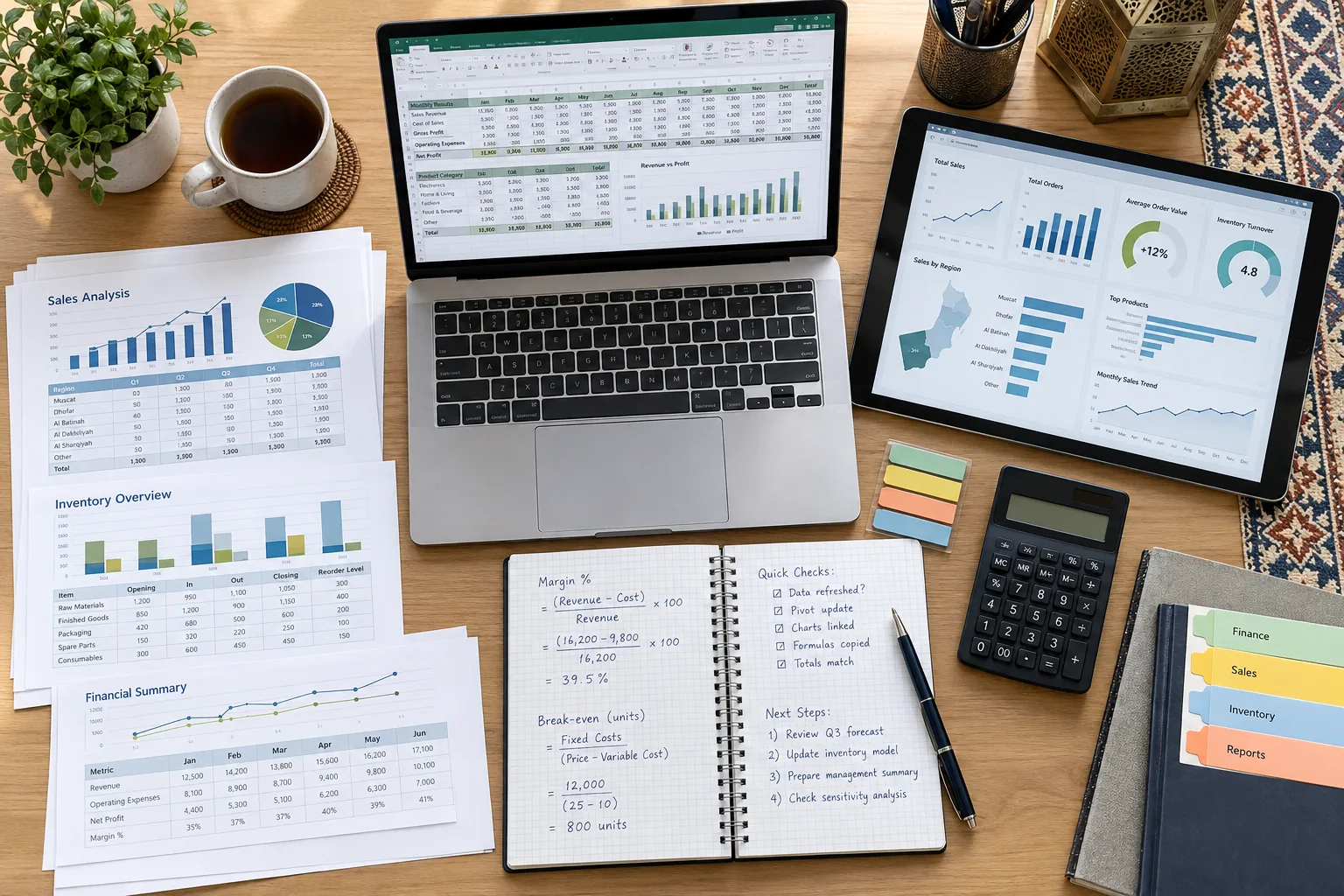
Power Query, Power Pivot, Macros and VBA: What Is Covered?
The flagship provides a broad professional Excel foundation. Specialist programming depth belongs in a separate course so neither product becomes vague or overloaded.
Core practical coverage: import, clean, reshape, merge, append, load and refresh.
Foundation coverage: relationships, models and introductory measures where the software environment supports them.
Introduction to recording, running and reviewing simple repeatable actions.
Specialist coding is covered in the Excel VBA and Macros Course in Oman.

Everything Needed to Practise Between Excel Classes
The guided hours are supported by a structured practice system so learners can repeat the workflow, diagnose errors and improve without rebuilding every file from scratch.
- Raw, guided and solved workbooks
- Finance, sales, inventory and operations datasets
- Live-class recordings
- Formula and lookup reference guide
- Windows and Mac shortcut guidance
- Power Query lab files
- PivotTable and dashboard checklists
- Assignments and topic quizzes
- Project briefs and assessment rubrics
- Reusable reporting templates
- Revision resources and practice plan
- Support for questions and file review
Excel Course Formats Available in Oman
Choose a delivery route based on location, schedule, current skill level and whether the training is for one learner or a team.
Face-to-face training through available scheduled or private classroom options.
Interactive faculty-led classes from anywhere in Oman with recordings and resources.
A focused route built around one learner’s pace, role and workbook needs.
Batch options designed around students and working professionals.
Alternative schedules covering the same learning objectives with a different pace.
Customised team delivery at the workplace, EduDelphi, an agreed venue or online.
Apply Excel Across Finance, Reporting, Operations and Management
Finance and Accounting
Reconciliations, ageing, variance, budgets, forecasts, cash reporting and management packs.
Sales and Commercial
Targets, pipelines, customer/product analysis, margins, trends and performance summaries.
Operations and Supply Chain
Inventory, procurement, suppliers, lead times, capacity, service levels and exceptions.
Management Reporting
KPI packs, scenarios, dashboards, controls and concise decision-support reporting.
Custom Excel Training for Teams and Organisations
EduDelphi can design Excel programmes around the actual work performed by finance, accounting, audit, procurement, supply chain, HR, sales, administration, operations and management teams. Delivery can use approved, sanitised company files or matched EduDelphi datasets.
The objective is not to expose employees to more features. It is to establish a consistent reporting method, reduce avoidable manual work and help teams produce more accurate, maintainable outputs.
Diagnose
Review roles, current files, recurring problems and skill levels.
Design
Segment the cohort and customise modules, datasets and exercises.
Deliver
Run classroom, onsite, live-online or blended sessions.
Measure
Assess progress and provide a team capability summary.
- Pre-training diagnostic and role mapping
- Custom finance, HR, sales, procurement or operations cases
- Muscat and Oman-wide onsite delivery
- Flexible weekday, weekend and intensive schedules
- Pre/post assessment and participation reporting
- Optional template or workflow-development scope

Get the Current Fee and Batch Options
EduDelphi Excel training is enquiry-led because the applicable fee can depend on the delivery route, schedule, learner level, private support, corporate customisation and whether the optional MOS-aligned preparation is included.
Your response will clearly separate the EduDelphi training fee from any optional official Microsoft examination charge.
What We Will Send
- Current applicable course fee
- Detailed 32+ hour syllabus
- Available Muscat and live-online batches
- Weekday, weekend and fast-track options
- Projects, LMS and recording inclusions
- Level and diagnostic guidance
- Private and corporate options
- Optional MOS-aligned preparation information
Excel, VBA or Power BI: Choose the Right Next Step
These courses work together, but they solve different problems.
| Route | Best when you need | Core focus |
|---|---|---|
| This Microsoft Excel course | Strong all-round workplace Excel capability | Formulas, clean data, pivots, Power Query, analysis and dashboards |
| Excel VBA & Macros | Code-based automation inside Excel | Procedures, loops, objects, reusable automation, debugging and report generation |
| Power BI Course in Oman | Scalable interactive reporting and governed distribution | Semantic models, DAX, Power BI Service, refresh, sharing and security |
EduDelphi Excel Certificate and Optional Microsoft MOS Preparation
A practical course certificate and an official Microsoft credential are different outcomes.
| EduDelphi Excel course | Microsoft Office Specialist pathway |
|---|---|
| 32+ hours of practical guided training | Official Microsoft certification examination pathway |
| Formulas, Power Query, pivots, dashboards and projects | Skills measured and examination policies controlled by Microsoft |
| EduDelphi course-completion certificate | Microsoft credential awarded after official requirements are met |
| Useful whether or not a learner sits an external exam | Optional for learners who specifically want the Microsoft credential |
| EduDelphi course fees | Official exam charges are separate unless expressly included |
Official reference: Microsoft Office Specialist: Excel Associate (Microsoft 365 Apps).
Why Practical Excel Capability Still Matters
Excel remains deeply connected to finance, reporting, operations, procurement, logistics, energy, banking and management work across Oman. Current job listings commonly pair advanced Excel with reporting, modelling, forecasts, variance analysis, KPIs and Power BI.
Finance and FP&A
Budgeting, cash flow, forecasts, reconciliation, variance analysis and management reporting.
Operations and Logistics
Inventory, suppliers, lead times, productivity, service levels and recurring performance reports.
Business and Data Analysis
Data cleaning, dashboards, KPI reporting and the bridge from spreadsheets to Power BI.
Career note: the course builds practical skills and portfolio evidence. It does not guarantee employment, promotion or salary; outcomes depend on experience, role fit and employer requirements.
Excel Course Support from Our Oman Office
Address
Street 3701, Al Ghubrah South
Postal Code 130, Muscat, Oman
Email
[email protected]
Phone
+971 4 396 3634
Microsoft Excel Training Across Oman
Professionals can join from Muscat and throughout Oman using live-online, private and blended routes. Employer groups can arrange workplace training, an agreed venue or online delivery.
If your goal is deeper code-based automation, review the Excel VBA & Macros Course in Oman. For scalable interactive reporting and organisational distribution, continue to the Microsoft Power BI course in Oman.
Get Fees, Syllabus and Current Batch Options
Tell us your current Excel level, role, preferred format and timeframe. The team will recommend the right learning route and send the current Oman course details.
- 32+ hour beginner-to-advanced course route
- Muscat classroom and live-online options
- Private and corporate routes
- Projects, workbooks, recordings and support explained clearly
- Optional MOS-aligned preparation discussed separately
Microsoft Excel Course Questions for Oman Learners
Is this Excel course suitable for beginners?
Yes. The programme includes a foundation bridge and progresses into professional formulas, PivotTables, Power Query, dashboards and analysis. A diagnostic helps determine the right starting point.
How long is the Microsoft Excel course?
The flagship course provides 32+ live guided hours, together with exercises, project work, recordings and a role-based capstone.
Which Excel version is used?
The reference environment is Excel for Microsoft 365 on Windows. The course explains important differences affecting Mac, web and older desktop versions.
Can Mac users join?
Yes, but selected features and Power Query data sources can differ from Windows. Discuss your software version before the course so the team can explain the relevant limitations.
Does the course cover Power Query?
Yes. Learners practise importing, cleaning, reshaping, merging, appending, loading and refreshing data through repeatable transformations.
Does this course cover VBA and macros?
The flagship introduces the macro recorder and automation decisions. For procedures, loops, the Excel object model, debugging and code-based report automation, choose the dedicated Excel VBA course in Oman.
What projects will I complete?
The course includes finance reporting, sales dashboard, inventory/procurement analysis and a role-based capstone using raw data, guided files and review criteria.
Is Excel useful for finance and accounting?
Yes. The programme applies Excel to reconciliation, ageing, budgets, forecasts, variance analysis, reporting packs and business scenarios.
Is this an official Microsoft certification?
No. EduDelphi awards its course-completion certificate. Microsoft MOS is a separate official certification pathway. MOS-aligned preparation can be discussed as an optional add-on.
Should I learn Excel or Power BI first?
Excel is usually the stronger starting point for learners who need formulas, structured data and workbook-based reporting. Power BI is the next step for larger models, interactive reports, governed sharing, refresh and security.
Are classroom classes available in Muscat?
Yes. Muscat classroom options are available alongside live-online, private and corporate routes. Request the current schedule before planning attendance.
Can I join online from outside Muscat?
Yes. Live-online training is available across Oman with interactive classes, recordings, workbooks and guided practice.
Are recordings and practice files included?
Yes. The programme includes recordings, raw and solved workbooks, practice datasets, templates, guides, quizzes and project resources.
Do you offer corporate Excel training?
Yes. EduDelphi provides customised classroom, onsite, live-online and blended programmes with diagnostics, role-based exercises, assessments and team capability reporting.
Can corporate training use our own files?
Approved and appropriately sanitised company files can be reviewed where suitable. EduDelphi can also create a matched dataset when confidential data should not be used.
What are the Excel course fees in Oman?
Fees are enquiry-led and depend on the delivery route, schedule and selected support. Request details to receive the applicable fee, current batches, full syllabus and inclusions.
Can I take private or one-to-one Excel training?
Yes. Private training can be arranged around the learner’s current level, role, schedule and reporting requirements.
Will the course guarantee a job?
No training provider can responsibly guarantee employment. The course builds practical skills, projects and reporting confidence; outcomes also depend on prior experience, communication, portfolio quality and employer requirements.
Microsoft and Excel are trademarks of the Microsoft group of companies. EduDelphi is an independent training provider. Microsoft controls its official certification programmes and examinations.
Build Faster, More Reliable Excel Workflows
Get the current Oman fees, detailed 32+ hour syllabus, batch options and the right learning route for your role or organisation.