
Microsoft 365 Copilot Course in Dubai, UAE
14+ Hours of Practical Microsoft Copilot Training
Learn to use Copilot Chat and Microsoft 365 Copilot across Word, Excel, PowerPoint, Outlook and Teams. Practise useful workplace tasks with guided training, feedback and clear review checks.

Microsoft 365 Copilot Course Overview
Build practical Copilot skills for documents, spreadsheets, presentations, email, meetings and daily business work.
The course combines clear demonstrations, guided exercises, role-based practice and feedback. Learn how to write better instructions, use suitable source information and check important outputs before using them.
- 14+ hours of live guided training.
- Dubai classroom and live online across the UAE.
- Recordings, LMS resources and practical templates.
- Private, one-to-one and corporate options.
- No programming background required.
Duration, Delivery, Fees and Next Batch
- Duration: 14+ guided hours.
- Modes: classroom, live online, one-to-one and corporate.
- Location: Mankhool, near BurJuman Metro.
- Schedule: weekday, weekend and private options.
- Fees: current AED fee available on enquiry.
- Certificates: KHDA and EduDelphi course-completion certificates.
What Is Microsoft 365 Copilot?
Microsoft 365 Copilot brings generative AI into common workplace applications and business tasks.
Professionals can use it to prepare drafts, summarise information, explore data, develop presentations, manage communication and organise follow-up work. Useful results still depend on clear instructions, suitable source material and human review. The course focuses on using Copilot for practical work rather than only showing product features.
Copilot Chat
Use AI chat to ask questions, develop first drafts, organise ideas and support suitable workplace tasks.
Microsoft 365 Copilot
Use Copilot across Word, Excel, PowerPoint, Outlook and Teams for connected business work.
Copilot Studio
Build, test and publish Microsoft AI agents through the separate Microsoft Copilot Studio Course.
What You Will Learn in the Microsoft Copilot Course
Write clearer instructions
Give Copilot a goal, context, source material, audience and required format.
Create better documents
Draft, restructure, summarise and improve business content in Word.
Work with data in Excel
Ask useful questions, explore patterns, explain results and check conclusions.
Prepare presentations
Turn source material into structured slides, summaries and speaker preparation.
Manage email and meetings
Prepare communication, recap discussions and organise actions in Outlook and Teams.
Check AI output
Review accuracy, calculations, sources, tone, confidentiality and approval needs.
Microsoft 365 Applications Covered in the Course
Practise Copilot across the applications professionals use for everyday business work.
 Copilot
 Word
Word Excel
Excel PowerPoint
 Outlook
 Teams
TeamsWho Should Take This Microsoft Copilot Course?
The course is designed for professionals who want to use Microsoft Copilot more effectively in everyday work.
Managers and leaders
Prepare briefings, meeting plans, updates and structured decision support.
Finance professionals
Support analysis, management reporting, explanations and review tasks.
HR and L&D teams
Work on communication, policy drafts, training material and people processes.
Sales and service teams
Prepare account notes, outreach, proposals, meeting follow-up and responses.
Marketing teams
Develop briefs, content structures, campaign ideas and performance summaries.
Operations teams
Improve procedures, project updates, action tracking and process documentation.
Executives and owners
Use Copilot for synthesis, communication, planning and management preparation.
Corporate teams
Build shared Copilot skills, practical standards and safer working habits.
No programming or technical background is required.
Microsoft 365 Copilot Course Syllabus
Eight practical modules cover prompting, Microsoft applications, role-based workflows, responsible use and a final workplace project.
Module 1: Microsoft Copilot, Copilot Chat and Microsoft 365 Copilot
Understand the Microsoft Copilot product family, common business use cases and realistic limitations. Explore Copilot Chat and how Microsoft 365 Copilot supports work across familiar applications.
- Current Microsoft Copilot product routes.
- Useful workplace tasks and limitations.
- Finding strong starting use cases.
- Moving from a request to a reviewed output.
Module 2: Prompting and Reliable AI Output
Write clearer instructions using goals, context, constraints, source material and output formats. Improve responses through follow-up questions and structured review.
- Clear prompts and task instructions.
- Context, examples and quality criteria.
- Iterative prompting and refinement.
- Accuracy, tone and completeness checks.
Module 3: Copilot in Word and PowerPoint
Use Copilot to prepare, restructure and improve documents, then turn source information into clearer presentation structures and speaker preparation.
- Drafting and improving documents.
- Summaries, rewrites and tone changes.
- Source-to-slide preparation.
- Presentation flow and executive summaries.
Module 4: Copilot in Excel
Ask useful questions about business data, explore patterns, develop explanations and use Copilot to support formulas, summaries and chart ideas while checking the result.
- Questions for tables and datasets.
- Patterns, comparisons and summaries.
- Formula and analysis support.
- Charts, explanations and review checks.
Module 5: Copilot in Outlook and Teams
Use Copilot to prepare emails, summarise communication, organise meeting information and turn discussions into clear actions and follow-up work.
- Email drafting and improvement.
- Thread and meeting summaries.
- Agendas, actions and follow-up.
- Communication review and approval.
Module 6: Research, Notes and Information Synthesis
Organise scattered information, compare sources, extract decisions and prepare useful briefings with OneNote and available Microsoft research experiences.
- Research questions and source selection.
- Notes, summaries and comparisons.
- Briefings and action summaries.
- Source and evidence checks.
Module 7: Copilot for Business Functions
Apply Copilot to realistic finance, HR, sales, marketing, operations and management tasks. Adapt instructions and review checks to the type of work involved.
- Finance and reporting.
- HR and people operations.
- Sales and customer communication.
- Marketing, operations and leadership.
Module 8: Responsible Use and Final Workplace Project
Apply practical boundaries for confidential information, permissions, source quality, review, approval and escalation. Complete one useful Microsoft 365 Copilot workflow.
- Confidential and personal information.
- Bias, hallucinations and unsupported claims.
- Human review and approval points.
- Final practical workflow and adoption plan.
What You Will Practise and Build
Complete guided work that you can explain, review and adapt to your own role.
Copilot use-case map
Identify suitable work, expected value and important review points.
Prompt framework
Use a repeatable method for context, instructions and output quality.
Word workflow
Prepare and improve a professional document with structured review.
Excel workflow
Explore business data and check the analysis before using it.
Presentation workflow
Turn source material into a clear presentation structure.
Meeting workflow
Prepare, summarise and organise follow-up through Outlook and Teams.
Role prompt library
Create prompts suited to your profession or business function.
Responsible-use checklist
Check data, sources, accuracy, approval and escalation requirements.
Final workplace project
Complete one practical Copilot workflow and an adoption plan.

Use Copilot for Documents, Data and Presentations
Practise the work professionals complete every week.
- Word: draft, restructure, summarise and improve business documents.
- Excel: explore data, develop formulas, explain patterns and check conclusions.
- PowerPoint: organise source material, improve slide flow and prepare summaries.
- Review: check important facts, numbers, sources and audience needs.
For deeper spreadsheet practice across several AI tools, explore the Excel with AI Course in Dubai.
Microsoft Copilot for Different Business Functions
Use examples that reflect the work completed by different departments.
Finance
Analysis explanations, management reports, variance commentary and review support.
HR
Policies, communication, learning content and structured first drafts.
Sales and service
Account preparation, outreach, proposals, follow-up and customer communication.
Operations and leadership
Procedures, projects, briefings, meeting preparation and action tracking.

Use Copilot for Email, Meetings and Follow-Up
Bring more structure to communication before, during and after a meeting.
Prepare
Develop an agenda, collect context and prepare useful questions.
Summarise
Turn long threads and meeting information into a clear first summary.
Assign
Organise actions, owners, priorities and expected next steps.
Follow up
Prepare clear messages and check them before sending.
Copilot Chat vs Microsoft 365 Copilot vs Copilot Studio
Choose the course that matches the work you need to complete.
| Route | Best for | Main focus | EduDelphi training |
|---|---|---|---|
| Copilot Chat | Everyday AI assistance | Chat, drafting, questions and task support | Included in this course |
| Microsoft 365 Copilot | Business users working in Microsoft 365 | Word, Excel, PowerPoint, Outlook, Teams and workplace workflows | Main focus of this course |
| AI for Finance & Accounting | Accountants, FP&A teams and finance managers | Finance analysis, reporting, forecasting, Excel, Power BI and controls | Role-specific finance course |
| Copilot Studio | Agent builders and automation teams | Build, connect, test, publish and govern Microsoft agents | Separate specialist course |
Ask about the Microsoft Copilot Studio course for agent creation, knowledge sources, actions, connections, testing, publishing and governance.
Use Microsoft Copilot With Clear Review Checks
Keep people responsible for important work while using Copilot to support suitable tasks.
Check the output
Review facts, calculations, sources, completeness and unsupported claims.
Protect information
Follow organisational requirements for confidential and personal information.
Keep human approval
Know when a person must correct, approve or escalate an output.
KHDA and EduDelphi Microsoft Copilot Course Certificates
EduDelphi delivers this KHDA-approved Microsoft Copilot course through Delphi Star Training Center, a KHDA-approved professional training institute in Dubai.
Successful learners receive a KHDA certificate and an EduDelphi/Delphi AI Academy course-completion certificate. Practical completion checks are included in the guided exercises and final project.
Microsoft professional credentials are separate from EduDelphi and KHDA course-completion certificates.

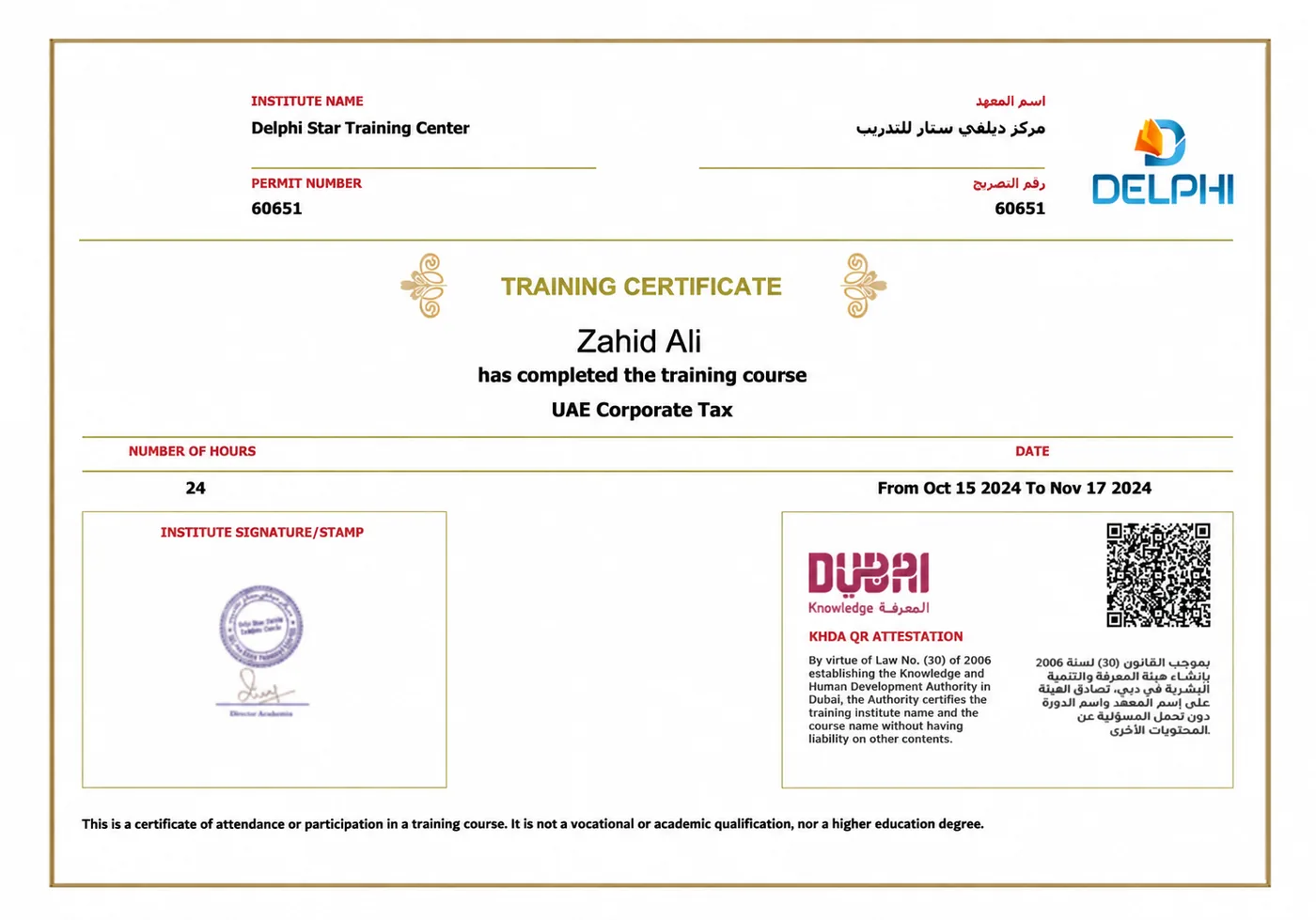
Sample KHDA-attested training certificate.
Corporate Microsoft Copilot Training in Dubai and the UAE
Build practical Microsoft Copilot capability across your organisation.
- Executive briefings and Copilot essentials.
- Two-day practical team training.
- Function-specific cohorts and exercises.
- Onsite, Dubai classroom or live-online delivery.
- Responsible-use guidance and adoption planning.
- Practical assessment, outputs and post-training support.

Organisations trained in Microsoft 365 Copilot










Microsoft Copilot Course Near BurJuman Metro
Attend in Mankhool or join live online from anywhere in the UAE.
Delphi Star Training Center
Building R308, Office 401Mankhool, near BurJuman Metro Exit 3
Dubai, United Arab Emirates
+971 4 396 3634
The centre is approximately a three-minute walk from BurJuman Metro. Ask the team for current classroom access and parking guidance.
Classroom, Live Online, One-to-One and Corporate Training
Dubai classroom
Attend trainer-led sessions at the Mankhool training centre.
Live online
Join guided UAE-time training from Abu Dhabi, Sharjah, Ajman or another location.
One-to-one
Request private training focused on your role and schedule.
Corporate
Arrange onsite or live-online training for employees, managers and leadership teams.
Microsoft Copilot Training With Practical Support
KHDA approved
Course delivery through a KHDA-approved Dubai training institute.
13+ years
Professional training experience across individuals and organisations.
Corporate proof
Microsoft 365 Copilot training delivered to recognised organisations.
Practical work
Guided exercises, templates, feedback and a final workplace project.
Recordings and LMS
Review demonstrations, resources and practical learning material.
Flexible delivery
Classroom, live online, one-to-one and corporate options.
Ongoing support
Ask questions and receive guidance as you apply the learning.
4.6/5 Google rating
Institute-wide learner feedback from 200+ Google reviews.
Microsoft 365 Copilot Course Fees and Next Batch
Request the current AED fee and active schedule for classroom, live-online, private, one-to-one or corporate delivery.
14+ guided hours
Live teaching, demonstrations, exercises, feedback and final project support.
Practical outputs
Templates and workflows across Microsoft 365 applications.
Recordings and LMS
Revisit demonstrations, resources and guided examples.
Two certificates
KHDA and EduDelphi/Delphi AI Academy course-completion certificates.
Is This a Microsoft Copilot Certification Course?
This is professional Microsoft 365 Copilot training with EduDelphi and KHDA course-completion certificates.
Microsoft professional credentials are separate pathways. The Microsoft 365 Certified: Copilot and Agent Administration Fundamentals credential focuses on administration and governance rather than everyday business-user productivity. Choose the route that matches your role and objective.
Microsoft 365 Copilot Course FAQs
What is Microsoft 365 Copilot?
What is the difference between Copilot Chat and Microsoft 365 Copilot?
Which Microsoft applications are covered?
Does the course include Microsoft Copilot in Excel?
Is the course suitable for beginners?
How long is the Microsoft 365 Copilot course?
Is classroom training available in Dubai?
Is live-online Microsoft Copilot training available across the UAE?
Can EduDelphi deliver Microsoft Copilot training for companies?
Will I receive a course certificate?
Is this an official Microsoft professional certification?
Does this course cover Microsoft Copilot Studio?
What is the difference between Microsoft 365 Copilot and Copilot Studio?
How do I get the course fee and next batch date?
Enquire About the Microsoft 365 Copilot Course
Tell us your preferred learning format and schedule. We will share the current AED fees, complete syllabus, available batches and private or corporate options.
- 14+ guided hours and practical Microsoft 365 exercises.
- Dubai classroom and live online across the UAE.
- Recordings, LMS resources and practical support.
Get Fees, Syllabus and Next Batch
14+ hours – Classroom and live online – KHDA and EduDelphi certificates