
Excel with AI Course in Dubai, UAE
24+ Hours of Practical Excel, Copilot and AI Training
Use Excel, Copilot and AI assistants to build formulas, clean data, analyse performance, create reports and automate repeatable spreadsheet work through guided, hands-on training.

What Is Excel with AI Training?
Excel with AI training teaches you how to combine spreadsheet skills with Copilot and AI assistants for formula work, data cleaning, analysis, reporting and controlled automation.
This is not a basic Excel course or a general prompt-writing class. The course follows a complete spreadsheet workflow: understand the business question, prepare the workbook, use the right tool, check the output and communicate a useful result.
- Live, guided demonstrations followed by hands-on practice.
- Class recordings, LMS resources and downloadable workbooks.
- Practice datasets, reusable templates and an Excel prompt library.
- Doubt solving, direct learner support and post-course support.

Practical Excel and AI Skills You Will Build
Build and repair formulas
Translate business rules into formula logic, explain inherited workbooks, debug errors and test normal and edge cases.
Clean and structure data
Standardise fields, resolve duplicates and inconsistencies, and create repeatable Power Query steps.
Analyse performance
Explore trends, comparisons, drivers, scenarios and exceptions using Excel, Copilot and AI assistants.
Create useful reports
Build KPI views, charts, dashboards and checked management commentary grounded in the workbook.
Automate repeatable work
Identify stable spreadsheet tasks and create controlled refresh or automation steps with clear ownership.
Check AI-generated work
Validate formulas, row counts, totals, assumptions, summaries and final outputs before they are used.
What Is Included in the Excel with AI Course?
Teaching, practice, revision and learner support are connected in one structured course.
Live guided training
24+ hours of teaching, demonstrations, practice, feedback and project work.
Recordings and LMS
Revisit class demonstrations, references and revision resources throughout your learning.
Workbooks and datasets
Download guided files, realistic data and templates for formulas, cleaning, analysis and reporting.
Prompt library
Use reusable prompt structures for Excel tasks, analysis questions, commentary and checks.
Three practical outputs
Complete workbook repair, data-analysis and management-reporting work.
Revision resources
Use checklists, reference sheets and workflow guides after the live sessions.
Direct support
Ask questions, solve doubts and get help applying the methods correctly.
Two certificates
Receive the KHDA and EduDelphi/Delphi AI Academy certificates after successful completion.
Tools Used in the Course
The course teaches tool choice around the spreadsheet task. Learners receive full guided, hands-on demonstrations and practise the connected workflow.
 Microsoft Excel
 Microsoft Copilot
 ChatGPT
 Claude
 Power Automate
| Tool or capability | Use it for | Course role |
|---|---|---|
| Excel and native review tools | Formulas, tables, PivotTables, charts, checks and workbook control. | Core |
| Power Query | Repeatable data cleaning, transformation and refresh steps. | Core |
| Copilot in Excel / Copilot Chat | Formula support, exploration, summaries and spreadsheet assistance. | Core guided practice |
| ChatGPT | Formula explanation, logic, analysis questions, debugging and commentary. | Core guided practice |
| Claude | Selected comparison, document and reasoning demonstrations. | Selected demonstration |
| Python in Excel, VBA or Office Scripts | Selected advanced analysis or AI-assisted automation examples. | Advanced demonstration |
| Power Automate | Selected workflow connections around repeatable reporting tasks. | Advanced demonstration |
Three Work Products You Will Complete
Each project starts with a realistic spreadsheet problem and ends with a checked output you can explain.
Workbook Repair Pack
Explain and repair inherited spreadsheet logic, test normal and edge cases, and record the corrections in a clear audit note.
- Formula repair
- Error and edge-case testing
- Correction log
Clean-Data and Analysis Workflow
Prepare an inconsistent UAE business dataset, create repeatable cleaning steps, reconcile the output and identify useful exceptions.
- Power Query workflow
- Reconciliation checks
- Trend and exception analysis
Management Reporting Pack
Produce a prepared dataset, working logic, KPI summary, visual report, management commentary, validation log and refresh instructions.
- KPI and chart view
- Checked commentary
- Refresh guide
8-Module Excel with AI Course Syllabus
Move from spreadsheet and AI foundations to formulas, data cleaning, analysis, reporting, automation and a final capstone.
01. Excel, AI and the Modern Spreadsheet Workflow
Understand where native Excel, Power Query, Copilot and external AI assistants fit. Prepare workbooks properly, define the business question and use business data responsibly.
02. Prompting and Context for Excel Tasks
Write instructions that define the goal, data structure, business rules, constraints and required output. Improve weak prompts and keep a reusable prompt structure.
03. Build, Explain and Repair Excel Formulas with AI
Generate, explain, debug and test lookup, logical, date, text and dynamic-array formulas. Translate plain-English requirements into controlled workbook logic.
04. Clean Data with Excel, Power Query and AI
Standardise dates, text and categories; resolve duplicates and inconsistencies; build repeatable transformation steps; and reconcile the cleaned output.
05. Analyse Data with Copilot and AI Assistants
Explore trends, comparisons, drivers, exceptions and scenarios. Ask better analytical questions and separate evidence from unsupported conclusions.
06. Create Reports, Dashboards and Management Commentary
Build KPI reporting, choose suitable charts and turn checked analysis into concise management commentary for business readers.
07. Automate Repeatable Excel Work
Identify stable tasks, document the logic, create controlled automation and review AI-generated scripts, macros or workflow steps before use.
08. Quality Control, Security and Capstone
Validate formulas, totals, analysis and narratives; document assumptions; apply suitable data boundaries; and complete the final management reporting pack.
How to Check AI-Generated Excel Work
AI can accelerate spreadsheet work, but the user remains responsible for the calculation, interpretation and final decision.
The course applies this validation method to formulas, Power Query steps, analysis, commentary and automation.
Excel with AI Training for Business Professionals
The course is designed for people who already work with spreadsheets and want a faster, more controlled AI-assisted workflow.
Analysts and reporting teams
Improve recurring analysis, reconciliations, KPI packs and management reporting.
Finance and accounting users
Strengthen formula work, variance analysis, reporting and checked commentary.
Operations and supply chain
Analyse inventory, service, logistics, capacity and performance exceptions.
Sales and commercial teams
Work with pipeline, targets, customer and performance reporting.
HR, administration and PMO
Improve structured tracking, summaries, dashboards and repeatable reporting tasks.
Managers and reviewers
Understand how to question, check and approve AI-assisted spreadsheet outputs.
Basic Excel familiarity is useful. No AI or coding background is required. An optional Excel foundation bridge is available for learners who need it.
Apply the Course to Real UAE Reporting Work
Exercises reflect common spreadsheet work across Dubai and the wider UAE without turning the course into one narrow industry programme.
Multi-location reporting
Combine branch, department or location files and produce a consistent reporting view.
Sales and pipeline analysis
Track targets, stages, movement, exceptions and management actions.
Inventory and logistics
Identify ageing, stock, movement, lead-time and service-level exceptions.
Project and cost tracking
Compare budget, actual, milestones, risks and changing forecasts.
Operational KPI packs
Refresh measures, charts and commentary for recurring management review.
AED, date and text cleanup
Standardise mixed formats and inconsistent source files before analysis.
Corporate Excel with AI Training in Dubai and UAE
Build a private programme around your team’s approved tools, reporting process and recurring spreadsheet work.
Find the spreadsheet work with the clearest learning value.
Confirm roles, data flow, review points and approved platforms.
Use sanitised workbooks, reports and realistic team scenarios.
Focus practice around the team’s reporting needs.
Build prompts, templates, validation checks and refresh instructions.
Review selected workflows and reinforce correct application.
Selected Organisations That Have Received EduDelphi AI Training










Classroom, Live Online, Private and Corporate Training
Dubai classroom
Attend live, guided training in Mankhool near BurJuman Metro.
UAE live online
Join from Dubai, Abu Dhabi, Sharjah, Ajman or elsewhere in the UAE.
Private one-to-one
Choose focused delivery around your role, pace and schedule.
Corporate onsite
Train a private team at your workplace, our classroom or live online.
KHDA and EduDelphi Course Certificates
EduDelphi delivers this KHDA-approved Excel with AI course through Delphi Star Training Center, a KHDA-approved professional training institute in Dubai.
Successful learners receive a KHDA certificate and an EduDelphi/Delphi AI Academy course-completion certificate. Practical completion checks are built into the course projects and capstone.
These certificates document professional training completion. This course is not a Microsoft certification examination.

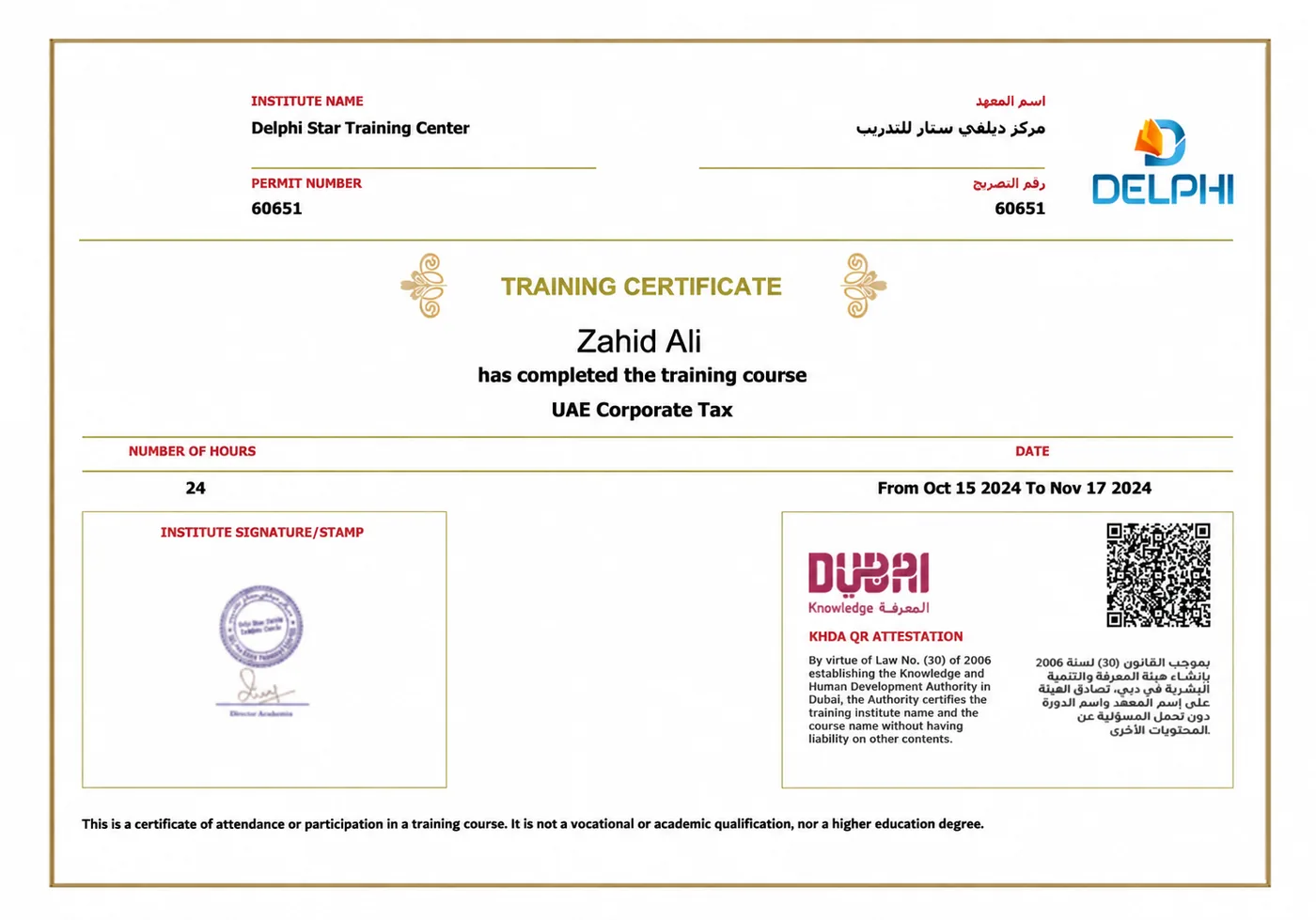
Sample KHDA-attested training certificate.
Excel with AI vs Advanced Excel, Copilot, Power BI and AI for Finance
| Course | Choose it when you want | Primary outcome |
|---|---|---|
| Excel with AI Course | AI-assisted formulas, cleaning, analysis, reporting and controlled spreadsheet automation. | A complete, checked Excel-and-AI workflow. |
| Advanced Excel Course | Stronger formulas, PivotTables, Power Query and core spreadsheet capability. | Deeper traditional Excel skills. |
| Microsoft 365 Copilot Course | Copilot across Word, Excel, PowerPoint, Outlook and Teams. | Microsoft 365-wide productivity. |
| Power BI Course | Data modelling, DAX, interactive dashboards and BI distribution. | Business intelligence and scalable dashboards. |
| AI for Finance Course | Finance, accounting, forecasting and FP&A-specific AI workflows. | Finance-specialist AI capability. |
| AI Automation Course | Cross-system no-code workflows, integrations and broader process automation. | Connected automated workflows beyond Excel. |
Excel with AI Course Fees and Next Batch
Request the current AED tuition and active classroom, live-online, private or corporate schedule.
Your written quotation confirms the guided hours, delivery format, applicable VAT treatment, recordings and LMS access, workbooks, practice datasets, projects, templates, prompt library, learner support and certificates.
Learn Now, Pay Later
Flexible instalment options are available through Tabby and Tamara. Ask the course adviser for the current options with your AED quotation.

Excel with AI Training Near BurJuman Metro
Attend in Mankhool or join live online from anywhere in the UAE.
Delphi Star Training Center
Building R308, Office 401Mankhool, near BurJuman Metro Exit 3
Dubai, United Arab Emirates
+971 4 396 3634
Ask the team for current classroom access, batch and parking guidance.
Practical Training With Ongoing Support
Professional training experience across classroom, live-online and corporate programmes.
Institution-wide Google rating from 200+ reviews. View Google profile.
Structured access to demonstrations, practice files and revision resources.
Doubt solving and post-course guidance as learners apply the workflow.
Excel with AI Course Dubai FAQs
What is Excel with AI?
Excel with AI combines spreadsheet work with Copilot and AI assistants to help build and explain formulas, clean data, explore trends, draft reporting commentary and support repeatable workflows. The final work still needs checking by the person responsible for the spreadsheet.
Is this an AI for Excel course or a Copilot for Excel course?
It is a broader AI for Excel course. Copilot is a core part of the guided learning, but the course also uses Excel, Power Query, ChatGPT and selected advanced demonstrations where they improve the spreadsheet workflow.
Is the course guided and hands-on?
Yes. Learners follow full guided demonstrations, practise with workbooks and datasets, complete three work products and receive support while applying the methods.
What Excel level do I need before joining?
Basic Excel familiarity is recommended. The main course is intermediate and practical. Learners who need extra support can use an optional Excel foundation bridge before or alongside the main programme.
Will I learn ChatGPT for Excel?
Yes. ChatGPT is used for tasks such as formula explanation, business-logic translation, debugging, analysis questions and reporting commentary. Learners also practise how to verify the output.
Does the course include Power Query?
Yes. Power Query is used for repeatable data cleaning, standardisation, transformation, reconciliation and refresh workflows.
Does the course include VBA, Office Scripts or Python in Excel?
Selected advanced demonstrations can cover AI-assisted VBA or Office Scripts, Python in Excel and Power Automate where they suit the workflow. The core course remains accessible without a coding background.
Can AI replace Excel formulas?
No. AI can help propose, explain and repair formulas, but the workbook logic still needs to be understood, tested and approved. The course teaches AI as an assistant, not as a substitute for spreadsheet control.
How do I check whether an AI-generated formula is correct?
Confirm the business rule, inspect the references, test normal and edge cases, reconcile totals and exceptions, compare summaries with source data, and document the final change.
What projects will I complete?
You complete a workbook repair pack, a clean-data and analysis workflow, and a monthly management reporting pack with KPI views, commentary, validation log and refresh instructions.
Is the course available online across the UAE?
Yes. Choose Dubai classroom training or UAE-time live online learning from Abu Dhabi, Sharjah, Ajman or elsewhere. Private one-to-one and corporate delivery are also available.
Can EduDelphi customise training around our company workbooks?
Yes. Corporate training can be adapted around sanitised company workbooks, approved tools, reporting cycles, team roles and the review standards used by the organisation.
Is this a Microsoft certification?
No. This is a practical professional course delivered by EduDelphi/Delphi Star Training Center. It includes a KHDA certificate and an EduDelphi/Delphi AI Academy completion certificate, not a Microsoft certification exam.
How is Excel with AI different from Advanced Excel or Power BI?
Advanced Excel builds deeper traditional spreadsheet skills. Excel with AI focuses on AI-assisted spreadsheet workflows. Power BI is the better route for data modelling, DAX, interactive dashboards and broader BI distribution.
What are the course fees and next batch dates?
Fees are enquiry-led because classroom, live-online, private and corporate formats differ. Request the current AED quotation, full syllabus and active batch options.
Get Excel with AI Course Fees, Syllabus and Batch Dates
Tell us your preferred format and schedule. We will share the current AED fees, full syllabus and available classroom, live-online, private or corporate options.
- 24+ guided hours and three practical work products.
- Dubai classroom and live online across the UAE.
- Recordings, LMS, workbooks, templates and direct support.
Get Fees, Syllabus and Next Batch
Our advisor will recommend the most practical next step for your goals. No obligation to enrol.
24+ hours · Three projects · Classroom and live online