KHDA-approved course · KHDA certificate included · Dubai classroom and UAE live online
Primavera P6 Course Details
Learn how to plan and control a project schedule—not just where to click. EduDelphi combines live instruction, individual P6 exercises and a connected project with recordings, reusable resources and practical feedback.
Choose evening or weekend learning options, or discuss a private schedule. Request the current batch dates and AED fees for your preferred format.
Practical Primavera P6 Skills You Will Learn
Build a clear schedule
Turn project scope into a work breakdown structure, activities, milestones and calendars that reflect how the work will be delivered.
Check logic and critical path
Link activities, review float and dependencies, and identify the work that drives the forecast completion date.
Set a useful baseline
Add resource and cost information, record planning assumptions and establish a baseline for progress comparison.
Update progress correctly
Use data dates, actual progress and remaining work to update the programme and explain changes in forecast dates.
Produce practical reports
Create lookaheads, layouts, progress reports and Excel-supported S-curves that help project teams make decisions.
Review and improve your work
Compare recovery options, explain your planning choices and use trainer feedback to strengthen the final project.
Build a Complete Project Schedule
Work through one connected teaching project from initial planning to progress reporting and recovery. Each stage builds on the previous one, so you understand how a scheduling decision changes the wider programme.
Build the baseline
Set up the project, structure the WBS, link activities and establish realistic calendars and milestones.
Update the programme
Record progress, check remaining work and compare forecast dates with the agreed baseline.
Explain the position
Prepare a lookahead, reporting layout and short narrative covering progress, risks and next actions.
Compare recovery options
Test practical changes, explain their trade-offs and improve your submission after project review.
Who Should Take This Course?
This course suits engineers, planners, schedulers, project coordinators, project-controls staff, PMO professionals and project managers who want practical Primavera P6 skills.
It is also suitable for professionals moving from site delivery into planning, or from spreadsheet-based tracking into structured scheduling.
What should you know before joining?
Basic computer skills are enough to start the foundations. Project experience helps, but you do not need previous P6 experience. Experienced users can discuss a focused private or team programme.
The examples include construction, infrastructure and EPC projects, while the scheduling principles are useful across many project environments.

Primavera P6 Course Syllabus
The 30-hour course moves from project setup to applied scheduling and progress control. Guided exercises are part of the teaching, with additional practice supported by recordings and LMS resources.
1. Planning Basics and P6 Setup
- Understand planning, scheduling and the role of Primavera P6 Professional.
- Review project milestones, CPM principles and the main workspace.
- Create a project and organise its basic settings.
2. WBS, Activities and Calendars
- Translate scope into a WBS and manageable activities.
- Set milestones, durations, activity codes and appropriate activity types.
- Create calendars that reflect working patterns and project assumptions.
3. Logic, Scheduling and Critical Path
- Build relationships and understand the effects of lags and constraints.
- Review total float, free float, longest path and near-critical activities.
- Check open ends, unrealistic dependencies and scheduling warnings.
4. Resources, Costs and Baselines
- Assign resources and cost information with clear assumptions.
- Review loading, resource availability and the effect of levelling.
- Create a baseline and prepare for meaningful progress comparison.
5. Progress Updates and Forecast Dates
- Set the data date and record actual starts, finishes and remaining work.
- Understand percent-complete choices and out-of-sequence progress.
- Review variance, changing critical paths and completion forecasts.
6. Reports, S-Curves and Introductory Earned Value
- Build layouts, filters, lookaheads and progress narratives.
- Use Excel-supported S-curves and resource reporting.
- Interpret introductory earned-value measures where the project data supports them.
7. Recovery, File Exchange and Final Project Review
- Compare recovery options and record the assumptions behind each change.
- Understand XER, XML and Excel exchange, with file and version checks.
- Present your project, receive feedback and improve the work.
Practise on UAE Project Scenarios
Use realistic teaching scenarios involving approval dependencies, long-lead materials, site coordination, subcontractor interfaces and handover milestones. Examples reflect planning issues encountered in Dubai, Abu Dhabi and wider UAE projects.
Example: a delivery delay changes the programme
A fictional project needs equipment delivered before installation and commissioning. The delivery moves five working days later. Installation had two working days of total float, and the team needs an updated completion forecast.
| What changes? | What should the planner check? |
|---|---|
| Equipment arrives later | The remaining delivery date, successor logic and relevant calendars. |
| Available float is used | Whether installation becomes critical and how commissioning is affected. |
| Completion may move | The revised forecast, baseline variance and practical recovery options. |
Worked planning response
If the sequence is unchanged, calendars match and no other path controls completion, a five-day delay with two days of available float produces a three-working-day completion impact. Recalculate the actual schedule before reporting: other dependencies, calendars or constraints may change the result.
Then compare feasible recovery options, document the assumptions and explain the forecast and recommended next action to the project team.
Illustrative EduDelphi course exercise using fictional project information.
Project Files, Recordings and Learning Support
Keep learning between sessions with a connected set of practice files, short revision resources and reporting tools.
Use P6 Professional for guided scheduling exercises and Excel for selected reporting tasks. Setup support and practical guidance help you focus on the project rather than struggle through the learning process alone.
Project files and worked solutions
Use checkpoint files, exercise instructions and worked examples to practise each stage of the schedule.
Recordings and LMS revision
Revisit class explanations, workflow lessons, scheduling terms and common errors around your work schedule.
Templates and checklists
Keep useful layouts, update checklists, reporting templates, file checks and more for future practice.
Project feedback and improvement
Submit practical work, discuss your planning choices and improve the final project using trainer feedback.
KHDA and EduDelphi Primavera P6 Course Certificates
EduDelphi delivers this KHDA-approved Primavera P6 course through Delphi Star Training Center, a KHDA-approved training institute in Dubai.
Successful learners receive a KHDA course certificate and an EduDelphi course-completion certificate. Practical exercises and the final project review help you demonstrate your scheduling skills.
The course certificates are separate from Oracle professional certification.

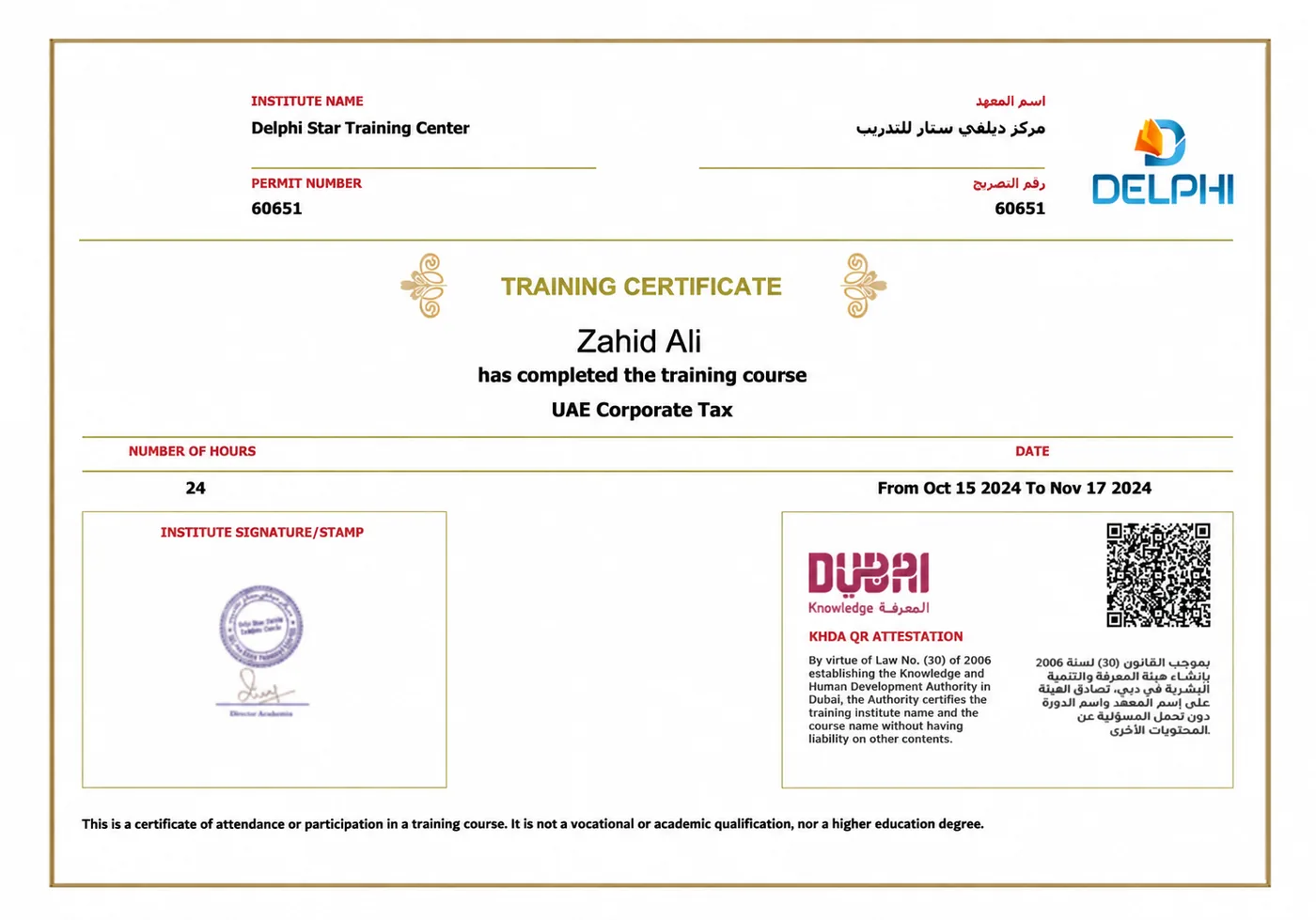
Sample KHDA-attested certificate · UAE Corporate Tax course example.
Classroom, Live Online and Private P6 Training
Dubai classroom
Learn face to face with guided practical work and trainer support at EduDelphi in Dubai, near BurJuman.
Live online across the UAE
Join interactive training from Abu Dhabi, Sharjah, the other emirates and beyond. Use recordings and resources for revision.
Private and flexible learning
Discuss one-to-one, evening, weekend or customised delivery around your starting level and planning goals.
EduDelphi Dubai
Delphi Star Training CenterBuilding R308, Office 401, near BurJuman Metro Exit 3
Dubai, United Arab Emirates
Primavera P6 Training for Corporate Teams
Build consistent scheduling and reporting practices across your planning, engineering and project-delivery teams.
We tailor exercises around your schedule standards, update cycles, reporting needs and project environment. Use company-approved or sanitised examples to connect the training with the work your people do.
- Baseline development and schedule-quality checks.
- Progress updates, lookaheads and management reporting.
- Resource planning, forecast changes and recovery discussions.
- Shared templates, practical assessment, reinforcement and more.
Choose private cohorts, onsite, classroom or live online delivery in Dubai, Abu Dhabi, across the UAE or internationally.

Primavera P6, PMP and Other Planning Tools
Choose the learning route that matches what you need to do. Practical P6 training and a project-management certification serve different purposes and can complement each other.
| Route | Main learning focus | When it is useful |
|---|---|---|
| Primavera P6 | Developing, updating and reporting project schedules. | You need practical planning and scheduling software skills. |
| PMP preparation | Project-management principles and the separate PMI examination. | You are pursuing a project-management credential. |
| Microsoft Project | Project scheduling in the Microsoft environment. | Your team uses Microsoft Project as its planning tool. |
| Oracle Primavera Cloud | A separate Oracle cloud platform with its own workflows. | Your organisation uses Primavera Cloud; discuss platform-specific training. |
P6 skills support planning, scheduling and project-controls work. Hiring requirements also depend on project experience, sector knowledge and the responsibilities of the role.
Oracle explains the differences between P6 and Primavera Cloud.
Primavera P6 Course Fees and Inclusions
Request the current AED fees and batch dates for classroom, live online, private or corporate training.
Your written quotation confirms the delivery schedule, VAT treatment, guided teaching, practical resources, recordings, learning support and included KHDA course certificate before enrolment.
Institution-wide rating from 200+ reviews.
Primavera P6 Course FAQs
What is Primavera P6 used for?
Primavera P6 is used to develop and manage project schedules. Planners organise activities, link dependencies, assign resources, establish baselines, update progress and report forecast dates.
How long is the Primavera P6 course?
The standard course includes 30 guided teaching and practical-learning hours. Recordings and LMS resources support additional practice. Private and corporate programmes can be tailored to your starting level and project needs.
Can beginners join the P6 course?
Yes. The course starts with planning basics and P6 setup. Basic computer confidence is useful; previous project experience helps but previous Primavera P6 experience is not required.
Does the course include hands-on P6 practice?
Yes. You work through individual practical exercises and a connected teaching project, supported by project files, setup guidance, worked examples and trainer feedback.
What project will I complete?
You develop a schedule, establish a baseline, update progress, prepare reports and compare recovery options using a fictional project. Final review helps you explain your choices and improve the work.
Is the Primavera P6 course KHDA-approved?
Yes. This is a KHDA-approved course, with a KHDA course certificate included. EduDelphi / Delphi Star Training Center is a KHDA-approved training institute in Dubai.
Is the certificate an Oracle certification?
No. The included certificate is a KHDA course certificate. Oracle professional certifications are separate from EduDelphi course completion.
Can I study Primavera P6 online from Abu Dhabi or elsewhere in the UAE?
Yes. Live online training is available across the UAE and internationally. Dubai classroom, private and corporate delivery options are also available.
Are evening and weekend classes available?
Yes. Ask for the current evening and weekend batch options, or discuss a private schedule around your work commitments.
What are the Primavera P6 course fees in Dubai?
Fees are quoted in AED for your selected delivery format. Request the current package and batch dates. Your quotation confirms VAT treatment, teaching, resources, support and the included KHDA certificate.
Which P6 topics does the course cover?
The syllabus covers WBS, activities, calendars, logic, critical path, resources, costs, baselines, progress updates, reporting, recovery options and file exchange, with practical exercises throughout.
Does the training cover Excel reporting?
Yes. Excel supports selected reporting exercises, including S-curves and project reporting. P6 Professional remains the main scheduling application.
Should I choose Primavera P6 or PMP?
Choose P6 when you need practical scheduling-software skills. PMP preparation focuses on project-management knowledge and the separate PMI certification exam. Professionals may benefit from both depending on their goals.
Can you customise Primavera P6 training for our company?
Yes. Corporate delivery can use your approved tools, schedule standards, reporting needs and sanitised project examples, with practical exercises for the roles in your team.
Get Primavera P6 Fees, Syllabus and Batch Dates
Tell us your preferred learning format. Our advisor will share the current AED fees, course syllabus and available classroom, live online, private or corporate options.
- 30 guided hours with practical scheduling exercises.
- Project files, recordings, LMS revision and trainer feedback.
- KHDA-approved course and included KHDA course certificate.
- Dubai classroom and flexible delivery across the UAE and beyond.
Request Course Details
Share your name, contact number and email.